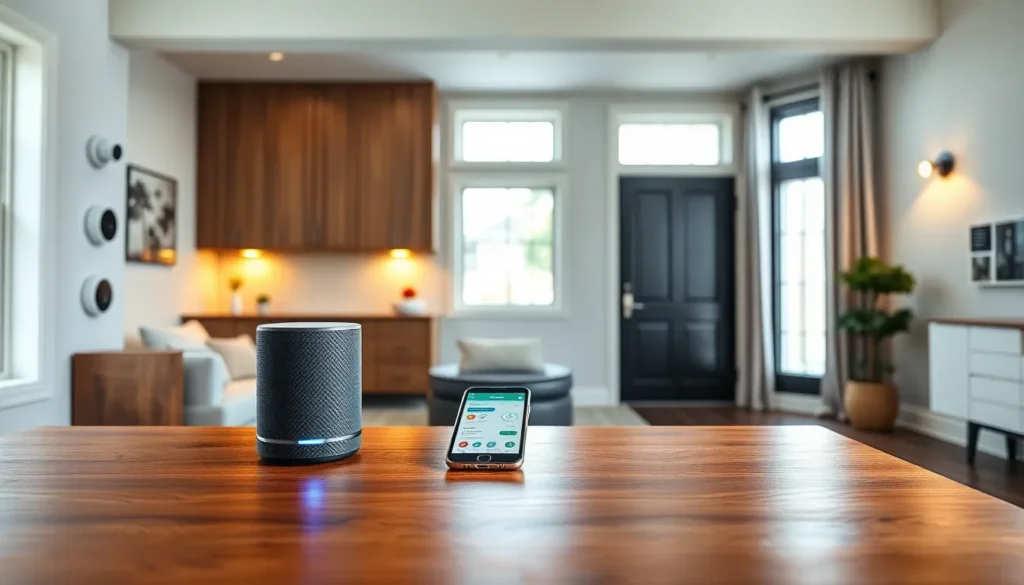
A smart home devices guide helps homeowners understand how connected technology can simplify daily life. Smart home devices now control lights, locks, thermostats, and security cameras through voice commands or smartphone apps. The global smart home market reached $121 billion in 2024 and continues to grow as more households adopt these technologies.
This guide covers the essential information buyers need before investing in smart home technology. Readers will learn about device types, ecosystem compatibility, setup processes, and security best practices. Whether someone wants to start with a single smart speaker or automate an entire house, understanding these fundamentals saves time and money.
Table of Contents
ToggleKey Takeaways
- Smart home devices connect to the internet and allow you to control lights, locks, thermostats, and security cameras through voice commands or smartphone apps.
- Choose one ecosystem—Amazon Alexa, Google Home, or Apple HomeKit—before buying to ensure compatibility and simplify daily use.
- Smart thermostats can reduce heating and cooling bills by 10-15% by learning your schedule and adjusting temperatures automatically.
- Most smart home devices can be set up in about 15 minutes by downloading the manufacturer’s app, connecting to Wi-Fi, and linking to your voice assistant.
- Protect your smart home by using strong unique passwords, enabling two-factor authentication, and keeping device firmware updated.
- Stick to established brands for smart home devices to ensure regular security updates and reliable performance.
What Are Smart Home Devices?
Smart home devices are electronic products that connect to the internet and communicate with other devices or apps. They allow users to control home functions remotely or through voice commands. A smart thermostat, for example, learns household patterns and adjusts temperatures automatically.
These devices use Wi-Fi, Bluetooth, Zigbee, or Z-Wave protocols to transmit data. Most smart home devices connect to a central hub or work independently through a smartphone app. Users can create automation routines, like turning off all lights at 11 PM, without manual input.
The “smart” label means these devices can receive updates, learn from user behavior, and integrate with other products. A basic light bulb turns on and off. A smart light bulb dims to specific levels, changes colors, responds to voice commands, and syncs with sunrise schedules. This connectivity transforms ordinary household items into responsive tools.
Popular Types of Smart Home Devices
The smart home devices market offers products for nearly every room and function. Here are the most common categories:
Smart Speakers and Displays
Amazon Echo, Google Nest, and Apple HomePod devices serve as voice-controlled hubs. They play music, answer questions, control other smart home devices, and display video content. Many households use these as the central control point for their smart home setup.
Smart Lighting
Philips Hue, LIFX, and Wyze bulbs replace traditional lighting. Users adjust brightness, color temperature, and schedules through apps. Smart switches and dimmers convert existing fixtures into connected lighting without replacing bulbs.
Smart Thermostats
Nest, Ecobee, and Honeywell thermostats learn heating and cooling preferences. They detect when residents leave home and adjust temperatures to save energy. Some models claim energy savings of 10-15% on heating and cooling bills.
Smart Security
Ring, Arlo, and Blink cameras provide video monitoring through smartphone apps. Smart locks from August, Schlage, and Yale allow keyless entry with codes or fingerprints. Motion sensors and door/window sensors alert homeowners to unexpected activity.
Smart Appliances
Refrigerators, washers, ovens, and vacuums now include smart features. Robot vacuums like Roomba clean floors on scheduled routines. Smart refrigerators track food inventory and suggest recipes.
How to Choose the Right Smart Home Ecosystem
Smart home devices work best within compatible ecosystems. The three major platforms are Amazon Alexa, Google Home, and Apple HomeKit. Each ecosystem has strengths and limitations.
Amazon Alexa offers the widest device compatibility. Thousands of third-party products work with Alexa, making it easy to mix brands. Echo devices range from affordable to premium, fitting various budgets.
Google Home provides strong integration with Google services like Calendar, Maps, and Search. Google Assistant handles conversational queries well and works across Android devices seamlessly.
Apple HomeKit prioritizes privacy and security. Apple reviews all HomeKit-compatible devices for security standards. But, fewer products support HomeKit compared to Alexa or Google Home. iPhone users who value Apple’s privacy approach often prefer this ecosystem.
Before purchasing smart home devices, buyers should consider:
- Which voice assistant they already use
- Whether family members use iOS or Android phones
- The specific devices they want to add later
- Budget constraints for hubs and accessories
Mixing ecosystems creates complications. A Google Nest thermostat works with Alexa, but some advanced features require the Google Home app. Sticking to one primary ecosystem simplifies daily use and troubleshooting.
Setting Up Your First Smart Home Device
Most smart home devices follow a similar setup process. New users can get started in about 15 minutes with these steps:
- Download the manufacturer’s app – Each brand requires its own app for initial setup. Install it on a smartphone before unboxing the device.
- Create an account – Register with an email address and password. This account stores device settings and enables remote access.
- Connect to Wi-Fi – The app guides users through connecting the device to their home network. Use the 2.4GHz band, as many smart home devices don’t support 5GHz networks.
- Position the device – Smart speakers work best in central locations. Security cameras need clear sightlines. Thermostats should avoid direct sunlight or drafts.
- Link to voice assistants – Add the device to Alexa, Google Home, or HomeKit through the respective app. This step enables voice control.
- Create automations – Set schedules or triggers that make devices work together. A “Good Night” routine might lock doors, turn off lights, and lower the thermostat simultaneously.
When setup issues occur, restarting the device and router usually resolves connection problems. Checking for firmware updates in the app also fixes many bugs.
Tips for Smart Home Security and Privacy
Smart home devices create potential entry points for hackers. These security practices protect connected homes:
Use strong, unique passwords. Each device and account needs a different password. Password managers like 1Password or Bitwarden generate and store secure credentials.
Enable two-factor authentication. Major smart home platforms offer 2FA through authenticator apps or SMS codes. This extra step blocks unauthorized access even if passwords leak.
Update firmware regularly. Manufacturers release security patches for smart home devices. Enable automatic updates or check monthly for new versions.
Create a separate Wi-Fi network. Many routers support guest networks. Placing smart home devices on a separate network isolates them from computers and phones containing sensitive data.
Review privacy settings. Voice assistants store recordings by default. Users can delete history and disable storage in privacy settings. Camera footage storage policies vary by manufacturer, check what data companies retain.
Research before buying. Some cheap smart home devices from unknown brands lack security testing. Stick to established manufacturers who release regular updates and respond to security vulnerabilities.
A compromised smart lock or camera creates real safety risks. Spending time on security setup protects both privacy and physical safety.