Smart home devices have transformed how people interact with their living spaces. These connected gadgets let homeowners control lighting, security, temperature, and entertainment with voice commands or smartphone apps. The global smart home market continues to grow as more consumers discover the convenience and efficiency these devices offer.
This guide covers everything readers need to know about smart home devices. From understanding what they are to selecting the right products and setting up a connected home, this article provides practical information for anyone ready to embrace this technology.
Table of Contents
ToggleKey Takeaways
- Smart home devices connect to the internet and communicate through Wi-Fi, Bluetooth, Zigbee, or Z-Wave to automate daily tasks like lighting, temperature, and security.
- Popular smart home devices include smart speakers, thermostats, lighting systems, security cameras, and smart plugs—each offering convenience and remote control.
- Smart thermostats can reduce energy bills by 10-15% by learning household schedules and optimizing heating and cooling automatically.
- Before purchasing smart home devices, check ecosystem compatibility with your preferred voice assistant (Alexa, Google, or Siri) for seamless integration.
- Start your smart home setup gradually—establish strong Wi-Fi, choose a voice assistant, then add high-impact devices like smart lighting and thermostats first.
- Always prioritize privacy and security by enabling two-factor authentication and keeping device firmware updated to protect your personal data.
What Are Smart Home Devices
Smart home devices are electronic gadgets that connect to the internet and communicate with each other through a home network. They use Wi-Fi, Bluetooth, Zigbee, or Z-Wave protocols to send and receive data. This connectivity allows users to monitor and control these devices remotely.
At their core, smart home devices serve one purpose: making daily tasks easier. A smart thermostat learns a household’s schedule and adjusts temperatures automatically. A smart doorbell shows who’s at the front door through a phone notification. Smart lights turn on at sunset without anyone flipping a switch.
These devices typically connect to a central hub or work independently through dedicated apps. Many smart home devices also respond to voice assistants like Amazon Alexa, Google Assistant, or Apple Siri. This voice control feature has made smart home technology accessible to people of all ages and technical abilities.
The “smart” in smart home devices comes from their ability to learn patterns, automate routines, and integrate with other connected products. A truly connected home creates an ecosystem where devices work together seamlessly.
Popular Types of Smart Home Devices
The smart home devices market offers products for nearly every room and function in a house. Here are the most popular categories:
Smart Speakers and Displays
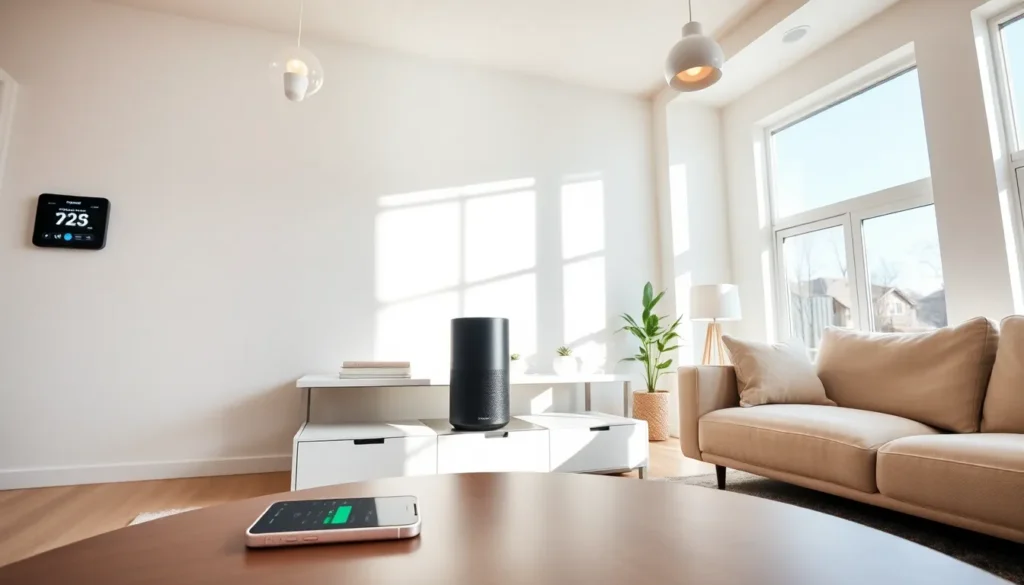
Smart speakers like Amazon Echo and Google Nest serve as the command center for many connected homes. They play music, answer questions, set timers, and control other smart home devices through voice commands. Smart displays add a screen for video calls, recipes, and security camera feeds.
Smart Lighting
Smart bulbs and light switches give users control over brightness, color, and scheduling. Brands like Philips Hue and LIFX offer bulbs that produce millions of colors. Users can create lighting scenes for different moods or activities.
Smart Thermostats
Devices like the Nest Learning Thermostat and Ecobee adjust heating and cooling based on occupancy and preferences. These smart home devices can reduce energy bills by 10-15% according to manufacturer estimates.
Smart Security Systems
Video doorbells, security cameras, smart locks, and motion sensors protect homes and provide peace of mind. Ring, Arlo, and Wyze lead this category with affordable options for every budget.
Smart Appliances
Refrigerators, washing machines, ovens, and coffee makers now come with smart features. These appliances send notifications, allow remote control, and integrate with other smart home devices.
Smart Plugs and Outlets
These simple devices turn any regular appliance into a smart device. Plug in a lamp or fan, and it becomes controllable through an app or voice command.
Benefits of Using Smart Home Technology
Smart home devices deliver tangible benefits that justify their cost for many households.
Convenience stands out as the primary advantage. Controlling lights, locks, and thermostats from a phone eliminates unnecessary trips around the house. Voice commands make multitasking easier, asking a smart speaker to add items to a shopping list while cooking saves time and effort.
Energy efficiency represents another significant benefit. Smart thermostats optimize heating and cooling schedules. Smart plugs eliminate phantom power draw by turning off devices completely. Smart lighting systems ensure lights aren’t left on in empty rooms. These small savings add up over time.
Security improvements give homeowners greater control and visibility. Smart home devices like video doorbells let users see and speak to visitors from anywhere. Smart locks allow temporary access codes for guests or service providers. Motion-activated cameras record activity and send instant alerts.
Accessibility makes smart home technology valuable for elderly individuals and those with mobility challenges. Voice control eliminates the need to reach switches or walk to thermostats. Automated routines reduce the physical demands of managing a home.
Peace of mind comes from knowing what’s happening at home. Water leak sensors, smoke detector integrations, and security alerts keep homeowners informed about potential problems before they become emergencies.
How to Choose the Right Smart Home Devices
Selecting smart home devices requires careful consideration of several factors.
Ecosystem compatibility matters most. Apple HomeKit, Google Home, and Amazon Alexa each have their own ecosystems. Choosing devices that work with the preferred voice assistant ensures smoother integration. The Matter standard, launched in 2022, aims to improve cross-platform compatibility, but checking device specifications remains important.
Budget varies widely across product categories. Smart plugs cost under $15, while comprehensive security systems run into hundreds of dollars. Starting with affordable smart home devices allows users to test the technology before making larger investments.
Installation requirements differ between products. Some smart home devices simply plug in and connect to Wi-Fi. Others require professional installation or replacing existing fixtures. Battery-powered options avoid wiring entirely but need periodic battery changes.
Privacy and security deserve attention. Smart home devices collect data about daily routines and home activities. Researching a manufacturer’s privacy policies and security track record helps protect personal information. Enabling two-factor authentication and keeping firmware updated reduces vulnerability to hacking.
Reviews and reliability guide purchasing decisions. Reading user reviews reveals real-world performance and common issues. Established brands typically offer better support and more reliable products than unknown manufacturers.
Future expansion should factor into initial purchases. Buying devices from the same brand or ecosystem simplifies adding new smart home devices later.
Getting Started With Your Smart Home Setup
Building a smart home works best with a gradual approach rather than trying to automate everything at once.
Step 1: Establish a strong Wi-Fi network. Smart home devices rely on consistent internet connectivity. A mesh Wi-Fi system eliminates dead zones and handles multiple connected devices without slowdown.
Step 2: Choose a voice assistant. Picking Amazon Alexa, Google Assistant, or Apple Siri early creates a foundation for future purchases. A smart speaker serves as the starting point for voice control throughout the home.
Step 3: Start with high-impact devices. Smart thermostats and smart lighting offer immediate, noticeable benefits. These smart home devices provide daily value and familiarize users with app control and automation features.
Step 4: Create simple automations. Most smart home platforms allow “routines” or “scenes” that trigger multiple actions with one command. A “Good Night” routine might lock doors, turn off lights, and lower the thermostat simultaneously.
Step 5: Expand gradually. Add new smart home devices as needs arise or budgets allow. Security devices, smart plugs, and entertainment systems can join the setup over time.
Step 6: Organize the app experience. Group devices by room within the control app. Give devices clear names that voice assistants recognize easily. “Living Room Lamp” works better than “Light 1.”