Homeowners spent an average of $2,000 on electricity in 2025, but a significant portion of that went to waste, phantom loads, overheated rooms, and lights burning when nobody’s home. Smart home technology doesn’t just add convenience: it turns a house into an active participant in energy conservation. Unlike manual efforts that rely on discipline, smart devices monitor, adjust, and optimize automatically. The right setup can trim 20-30% off energy bills without sacrificing comfort. Here’s how to build a home that works smarter, not harder.
Table of Contents
ToggleKey Takeaways
- Smart home energy efficiency systems can trim 20-30% off energy bills by automating HVAC, lighting, and appliances without sacrificing comfort.
- Smart thermostats are the highest-impact upgrade, reducing HVAC energy consumption by 10-23% annually through occupancy detection and weather-responsive scheduling.
- Eliminating phantom loads with smart plugs and power strips saves the average home $100-$200 yearly by cutting standby power from TVs, chargers, and other devices.
- Whole-home energy monitors provide real-time visibility into circuit-level consumption, helping identify the worst offenders and achieving payback within two years for high-bill households.
- Automating multiple devices through routines and scenes multiplies savings: a ‘Leaving Home’ routine combined with time-of-use rate strategies can reduce bills 20-30% by shifting heavy loads to off-peak hours.
How Smart Home Technology Reduces Energy Consumption
Smart home systems cut energy use through three core mechanisms: automation, real-time monitoring, and adaptive learning. Traditional homes operate on fixed schedules or manual control, thermostats run at set temperatures regardless of occupancy, lights stay on until someone remembers to flip a switch, and appliances draw power 24/7.
Smart devices eliminate that waste by responding to real conditions. Motion sensors trigger lights only when someone enters a room. Thermostats track occupancy patterns and outdoor weather to adjust heating and cooling dynamically. Energy monitors flag appliances that guzzle power, even in standby mode.
The intelligence layer matters most. Many systems use machine learning algorithms to predict behavior, preheating the house before a homeowner arrives or dimming lights during peak-rate hours. According to the U.S. Department of Energy, homes with integrated smart systems reduce HVAC energy consumption by 10-23% annually. That’s not from installing better insulation or upgrading windows, it’s purely operational efficiency.
Integration amplifies savings. A smart thermostat paired with automated blinds can block afternoon sun before the AC kicks in. A hub that links lighting, plugs, and climate control can execute complex routines: “Away Mode” might lower the thermostat, cut power to entertainment centers, and switch exterior lights to motion-only. The more devices communicate, the fewer gaps exist for energy to leak through.
Smart Thermostats: Your First Line of Defense Against Energy Waste
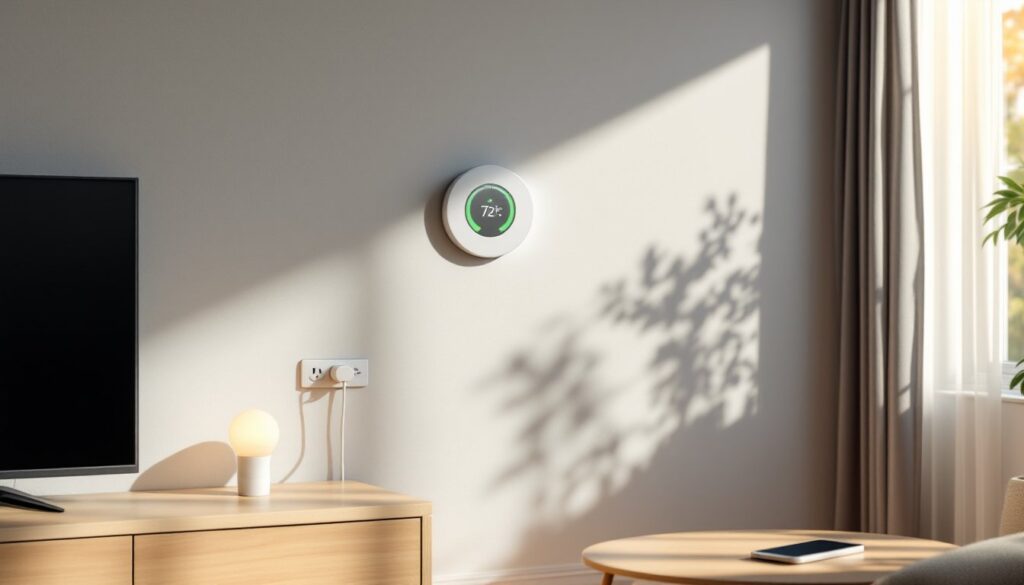
HVAC accounts for roughly 50% of a home’s energy bill, making the thermostat the highest-impact upgrade most homeowners can make. A smart thermostat like the Ecobee or Nest Learning Thermostat replaces the old programmable model with sensors, Wi-Fi connectivity, and adaptive scheduling.
Key features include geofencing (adjusting temperature based on smartphone location), room sensors that detect occupancy and temperature differentials, and energy reports showing usage patterns. If the upstairs bedroom is 5°F warmer than downstairs, remote sensors let the system balance airflow instead of overcooling the entire house.
Installation is straightforward for most systems. Turn off power at the breaker, remove the old thermostat, label the wires (usually R, W, Y, G, C), and connect them to the corresponding terminals on the new unit. A C-wire (common wire) provides continuous 24V power: homes built before 2000 may lack one. If that’s the case, options include running a new wire from the furnace, using a C-wire adapter, or choosing a battery-powered model.
Smart thermostats qualify for utility rebates in many regions, check with local providers before purchasing. Some utilities also offer time-of-use rates, where electricity costs more during peak hours. Thermostats can pre-cool or pre-heat during cheaper off-peak periods, a tactic called load shifting that cuts bills without reducing comfort.
One caution: multi-zone HVAC systems may need multiple smart thermostats or a compatible zoning controller. Don’t assume one unit can manage separate heating zones without proper damper integration.
Intelligent Lighting Systems That Adapt to Your Lifestyle
Lighting represents 10-15% of household energy use, but smart bulbs and switches can halve that figure. LED smart bulbs (Philips Hue, LIFX, Wyze) draw 8-12 watts compared to 60W incandescents, and they last 15,000-25,000 hours, roughly 15 years under typical use.
The efficiency gain comes from automation and dimming. Motion sensors ensure lights activate only when rooms are occupied. Schedules can mimic occupancy patterns when the house is empty, enhancing security without wasting energy. Dimmers reduce power draw proportionally, a bulb at 50% brightness uses roughly half the electricity.
Smart switches are a better choice for hardwired fixtures or homes with many bulbs per fixture. Replacing one switch controls an entire room, avoiding the cost of swapping every bulb. Many require a neutral wire in the electrical box: older homes may lack one, requiring a pigtail wire from another box or a no-neutral switch model.
Color temperature adjustment adds another layer of efficiency. Warm light (2700K) in the evening signals the body to wind down, reducing reliance on bright overhead lighting. Cool light (4000K+) during the day boosts alertness without increasing wattage.
Outdoor lighting benefits even more from smart control. Dusk-to-dawn sensors, timers, and motion detection prevent landscape lights and porch fixtures from running all night. Solar-powered smart lights eliminate electricity use entirely for pathways and accent lighting, though they require direct sun exposure to charge effectively.
One often-overlooked detail: smart bulbs still draw a small amount of standby power when “off” to maintain Wi-Fi or Zigbee connectivity. It’s negligible (1-2 watts per bulb), but unplugging lamps when traveling eliminates even that trickle.
Smart Plugs and Power Strips: Eliminating Phantom Energy Drain
Phantom loads, power drawn by devices in standby mode, cost the average home $100-$200 annually. TVs, game consoles, cable boxes, and chargers all sip electricity when “off.” A single desktop computer and monitor can pull 10-15 watts in sleep mode, adding up to 130 kWh per year.
Smart plugs (TP-Link Kasa, Wemo, Gosund) cut power completely on command or schedule. Plug a TV and soundbar into one, then set it to kill power at midnight. No more glowing standby LEDs, no phantom draw. Most smart plugs also track energy consumption, revealing which devices are the worst offenders.
For entertainment centers or home offices with multiple devices, smart power strips are more practical. They typically include one or two “always-on” outlets (for DVRs or routers that need constant power) and several controlled outlets. Some models feature auto-shutoff: when the primary device (like a computer) powers down, peripheral outlets (monitor, printer, speakers) cut power automatically.
Installation is plug-and-play, but confirm the plug fits behind furniture and the amperage rating matches the load. Standard smart plugs handle 15A (1,800W), sufficient for most electronics. Space heaters, window AC units, and power tools require dedicated outlets or heavy-duty smart plugs rated for 20A.
Voice control through Alexa, Google Assistant, or Siri adds convenience: “Turn off the bedroom fan” from bed beats fumbling for a switch. Routines extend functionality, “Goodnight” can cut power to living room devices, lock smart locks, and arm security systems with one command.
One limitation: smart plugs won’t help with hardwired appliances like ovens or water heaters. For those, whole-home energy monitoring (covered next) provides visibility without direct control.
Whole-Home Energy Monitoring and Management
Knowing where energy goes is the first step to cutting waste. Whole-home energy monitors like Sense, Emporia Vue, or Span Panel install at the main electrical panel and track every circuit in real time.
They use current transformers (CTs), clamps that fit around hot wires inside the panel, to measure amperage. The device multiplies current by voltage (120V or 240V) to calculate wattage for each circuit. Over time, machine learning identifies individual appliances by their unique electrical signatures (the “on” profile of a refrigerator compressor differs from a hair dryer).
Installation requires working inside a live electrical panel, which is dangerous. Many jurisdictions require a licensed electrician for panel work, and it’s worth the cost, improper installation risks arc flash or fire. The electrician will mount the monitor inside or adjacent to the panel, clamp the CTs around the main service lines (and optionally on individual circuits for solar or high-draw appliances), and connect to a neutral and breaker.
Once installed, the system delivers insights no other device can provide. If the water heater spikes usage during peak-rate hours, shifting showers to off-peak times or adjusting the thermostat saves money. If phantom loads total 300W, the homeowner knows exactly which circuits to target with smart plugs.
Some monitors integrate with smart panels (Span, Lumin) that allow remote circuit control. Flip a breaker from a phone app, set priority circuits for backup power during outages, or schedule high-draw devices (EV chargers, pool pumps) to run during solar production or cheap overnight rates.
Solar homes especially benefit. Monitoring shows when panels produce surplus power, perfect for running dishwashers, laundry, or charging EVs. Exporting less to the grid and self-consuming more maximizes the investment.
The caveat: these systems aren’t cheap, $200-$400 for the hardware plus installation labor. But for homes spending $200+ monthly on electricity, the payback period is often under two years.
Maximizing Savings with Automation and Scheduling
Individual smart devices save energy. Automation multiplies those savings by orchestrating them.
Scenes and routines bundle multiple actions into one trigger. A “Leaving Home” routine might lower the thermostat 5°F, turn off all lights except one porch fixture, and cut power to smart plugs in the living room and office. A “Movie Night” scene dims lights, closes smart blinds, and keeps only accent lighting active.
Platforms like Apple Home, Google Home, Amazon Alexa, and Samsung SmartThings handle basic automation. Advanced users prefer Home Assistant or Hubitat, which run locally (no cloud dependency) and support complex logic: “If outdoor temperature exceeds 85°F and the thermostat calls for cooling, close south-facing blinds and delay running the dishwasher until after 7 p.m.”
Time-of-use (TOU) rate plans reward strategic scheduling. If electricity costs 12¢/kWh off-peak and 28¢/kWh during peak hours (typically 4-9 p.m.), shifting heavy loads outside that window, pre-cooling the house at 2 p.m., running laundry at 10 p.m., charging EVs overnight, can cut bills 20-30%. Smart thermostats and plugs make this automatic.
Weather-based automation adds another layer. If rain is forecast, smart irrigation controllers skip watering. If a heatwave is predicted, thermostats can pre-cool the house during cheaper morning hours, then coast on thermal mass through expensive afternoon peaks.
Occupancy detection refines automation further. Geofencing triggers routines when the last family member leaves or the first one returns. Door/window sensors can tell the thermostat to pause HVAC if a door is left open, preventing the system from heating or cooling the outdoors.
One best practice: start simple. Automate one room or one routine, observe the results, then expand. Overly complex automation frustrates users and often gets disabled, wasting the investment.
Conclusion
Smart home energy efficiency isn’t about gadgets for their own sake, it’s about giving a house the ability to react, adapt, and optimize in ways manual control never could. A well-designed system pays for itself through lower bills, often within two to three years, and keeps saving for decades. Start with the biggest energy hogs, HVAC and major appliances, then layer in lighting, plugs, and monitoring as budget allows. The result is a home that works harder so the homeowner doesn’t have to.