Smart home technology has moved from luxury novelty to practical necessity, but the gadgets are only half the equation. Behind every responsive thermostat, automated lighting system, and doorbell camera sits infrastructure most homeowners never see: the wiring. A well-planned smart home starts with backbone wiring that supports today’s devices while leaving room for tomorrow’s upgrades. This guide walks through the essentials of smart home wiring, what it is, what infrastructure matters, how to plan an installation, and where homeowners commonly trip up. Whether gutting a renovation or wiring new construction, the decisions made now determine whether a smart home scales gracefully or becomes a tangled mess of adapters and Wi-Fi extenders.
Table of Contents
ToggleKey Takeaways
- Smart home wiring provides the electrical and data infrastructure backbone needed to reliably power and connect automated devices, making it essential for scalable home automation that adapts to future upgrades.
- Structured cabling systems using Cat6 or Cat6a Ethernet, combined with a central distribution panel, form the foundation of reliable smart home networks and should include multiple cable runs to key locations like offices and entertainment centers.
- Proper power planning requires neutral wires at switch boxes, dedicated circuits for networking equipment, and low-voltage power supplies positioned strategically throughout the home to support diverse device types.
- A hybrid approach combining hardwired Ethernet for stationary infrastructure devices with wireless protocols (Wi-Fi, Zigbee, Z-Wave) for portable sensors offers the best balance of reliability, coverage, and practical installation.
- Smart home wiring plans should include detailed floor plans, designated equipment locations, cable route mapping, and 10-15% material overages to avoid costly retrofits and ensure code compliance with the National Electrical Code.
- Common installation mistakes like skipping neutral wires, underestimating cable needs, mixing line-voltage with low-voltage cables improperly, and poor labeling can create expensive problems that careful planning and meticulous documentation prevent.
What Is Smart Home Wiring and Why Does It Matter?
Smart home wiring refers to the electrical and data infrastructure that powers and connects automated devices throughout a home. Unlike traditional wiring, which simply delivers power to outlets and switches, smart home wiring integrates low-voltage data lines, structured cabling systems, and strategically placed power sources to support devices that communicate with each other and the internet.
The distinction matters because most smart devices need two things: reliable power and stable connectivity. A Wi-Fi-enabled thermostat, for example, needs 24-volt power from the HVAC system plus network access. Smart lighting might use standard 120-volt circuits but requires neutral wires at switch boxes, something older homes often lack. Security cameras need both power-over-Ethernet (PoE) or dedicated outlets plus network backhaul.
Proper smart home wiring future-proofs a home. Wireless protocols change (anyone remember X10 or early Z-Wave?), but Cat6 Ethernet and dedicated circuits remain useful for decades. Retrofitting wiring after drywall goes up costs significantly more in labor and often requires compromises. Planning infrastructure during construction or major renovation is the most cost-effective approach.
From a code perspective, smart home wiring must comply with the National Electrical Code (NEC) for power circuits and follow structured cabling standards (TIA-568) for data lines. Low-voltage wiring doesn’t always require permits, but anything touching 120-volt or 240-volt systems does. Homeowners tackling smart upgrades should verify local jurisdiction requirements before opening walls.
Essential Wiring Infrastructure for Smart Homes
Structured Cabling and Ethernet Networks
The backbone of a reliable smart home is hardwired Ethernet. While Wi-Fi handles mobile devices and retrofits, Cat6 or Cat6a cabling provides the stability and bandwidth needed for stationary devices: access points, smart TVs, NAS drives, PoE security cameras, and control hubs.
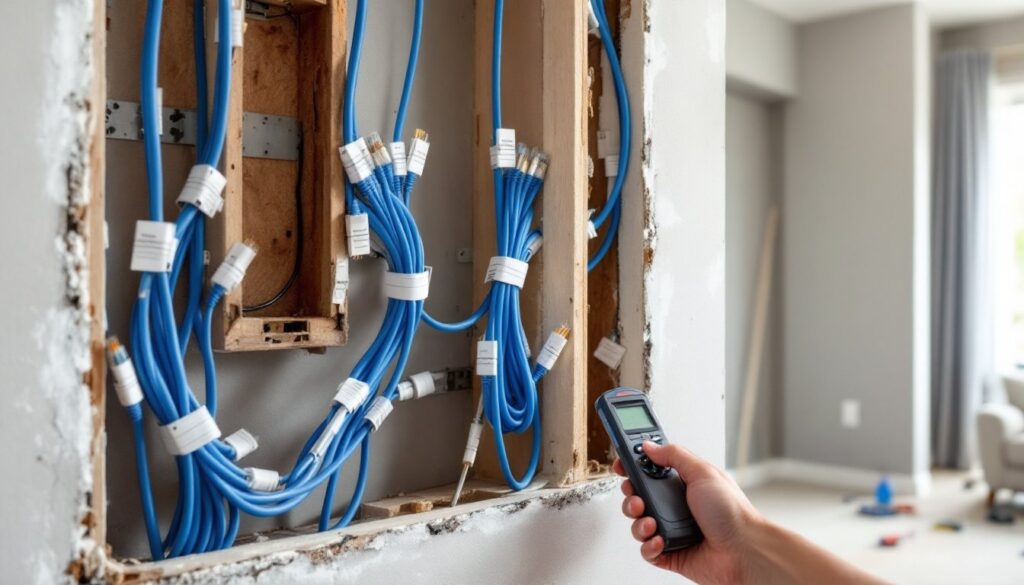
A structured cabling system starts with a central distribution panel or network rack, typically located in a utility room, closet, or basement. From there, cables home-run to individual rooms. Key locations include:
- Living areas and home offices (wall jacks for streaming devices, PCs)
- Ceiling locations for PoE-powered Wi-Fi access points and cameras
- Garage and exterior entry points for security devices
- Media centers or equipment closets
Cat6 cable supports gigabit speeds up to 55 meters and 10-gigabit over shorter runs, more than adequate for current smart home needs. Cat6a extends 10-gig capability to 100 meters, which matters for larger homes or future bandwidth demands.
Run cables through conduit when possible, especially in unfinished basements or attics. Conduit makes it easier to pull additional lines later without opening finished walls. Label every cable at both ends with room location and jack number: future troubleshooting depends on clear documentation.
Professional-grade keystone jacks and patch panels maintain signal integrity better than cheap connectors. Terminate cables carefully, untwisted pairs longer than half an inch degrade performance.
Power Considerations for Connected Devices
Smart devices have specific power needs that traditional wiring may not address. Modern installations should account for:
Neutral wires at switch boxes. Most smart switches and dimmers require a neutral (white wire) for the internal electronics to function, even when the light is off. Older homes wired with switch loops often lack neutrals. Retrofitting them means pulling new 14/3 or 12/3 Romex, which can be invasive.
Dedicated circuits for networking equipment. The modem, router, network switch, and any smart home hubs should run on a dedicated 15-amp or 20-amp circuit. This prevents nuisance tripping when other devices (like vacuums or space heaters) draw heavy loads elsewhere. Consider adding this circuit to a whole-home UPS or battery backup to keep the network live during brief outages.
Low-voltage power for devices. Many smart thermostats, doorbells, and sensors use low-voltage DC power (12V, 24V, or 5V). These require plug-in transformers or hardwired power supplies. Plan outlet locations accordingly, an outlet near the doorbell transformer, inside media cabinets for streaming gear, or in attic spaces for centralized sensors.
USB power outlets. In-wall USB outlets provide convenient charging without wall warts, but standard models max out at 2.4 amps per port. Newer USB-C outlets with Power Delivery (PD) offer faster charging but cost more and may require deeper outlet boxes to accommodate the larger devices.
Always use the appropriate wire gauge for the load and circuit length. A 15-amp circuit needs 14 AWG copper: 20-amp circuits need 12 AWG. Low-voltage wiring should follow manufacturer specs, undersized wire causes voltage drop and unreliable device operation.
Wireless vs. Hardwired: Choosing the Right Approach
Not every smart device needs a hardwired connection, but knowing when to use each approach saves headaches.
Hardwired Ethernet wins for devices that don’t move and need maximum reliability: security cameras, access points, smart TVs, network-attached storage, and whole-home audio systems. Wired connections eliminate interference, reduce network congestion, and sidestep Wi-Fi dead zones. PoE devices get both data and power over a single cable, simplifying installation.
Wireless connectivity (Wi-Fi, Zigbee, Z-Wave, Thread) makes sense for battery-powered sensors, portable devices, and retrofits where fishing cable isn’t practical. Modern Wi-Fi 6 offers better multi-device handling than older standards, but it still shares bandwidth across all connected devices. Wireless smart home protocols like Zigbee and Z-Wave use mesh networking to extend range through multiple devices, reducing reliance on a single router’s signal.
A hybrid approach usually works best. Hardwire the infrastructure that supports everything else, routers, switches, access points, then let wireless devices connect through that robust backbone. Place PoE-powered Wi-Fi access points strategically (ceiling-mounted, centrally located per floor) to blanket the home with strong signal rather than relying on a single router in a closet.
For renovations, assess wall access before committing. Open walls or unfinished spaces make hardwiring practical. Finished homes with no attic or crawlspace access might justify wireless solutions or surface-mounted cable raceways to avoid destructive fishing.
One often-overlooked factor: protocol compatibility. Some smart devices only work with specific hubs or standards. A homeowner committed to a Zigbee ecosystem needs a compatible hub and should prioritize devices using that protocol. Mixing too many protocols (Wi-Fi, Zigbee, Z-Wave, Bluetooth) can complicate troubleshooting and create compatibility gaps.
Planning Your Smart Home Wiring Installation
Proper planning separates a smooth installation from an expensive do-over.
Start with a floor plan. Mark every intended smart device location: light switches, outlets, cameras, access points, sensors, hubs, and entertainment systems. Identify power and data needs for each. Group devices by room and system (lighting, security, HVAC, entertainment).
Designate a central equipment location. This should house the network rack, patch panel, switch, modem/router, and any centralized control hubs. The location needs adequate power (dedicated circuit), ventilation, and accessible cable routing to the rest of the house. Basements, utility rooms, or large closets work well. Avoid garages in extreme climates, networking equipment doesn’t tolerate temperature swings.
Map cable routes. Identify paths from the central location to each device. Use existing pathways (along joists, through wall cavities, attic space) and note any obstacles (fire blocks, HVAC ducts, plumbing). Plan to maintain low-voltage separation from electrical wiring, NEC requires 2 inches minimum or use jacketed cable rated for the proximity.
Determine power circuit needs. Calculate the load for each new circuit. A dedicated 20-amp circuit handles the network equipment: additional circuits may be needed for high-draw devices (server racks, large displays). Smart switches and lighting typically use existing lighting circuits but verify the box has neutrals.
Order materials with a 10-15% overage. Measure twice, buy once, plus some extra. For cable, add 10-20 feet per run to account for routing inefficiencies and termination slack. Buy cable in 1,000-foot spools (not pre-terminated patch cables) for custom runs.
Pull permits if required. Most jurisdictions require permits for electrical work involving new circuits or modifications to existing 120V/240V systems. Low-voltage data cabling may not need permits, but verify locally. Inspections ensure code compliance and protect resale value.
Schedule the work logically. Rough-in wiring happens before drywall or after demolition during remodels. Install boxes, run cables, label everything, then close walls. Device installation and termination happen after finish work. Don’t rush, a mislabeled cable or missed home-run causes frustration later.
Common Smart Home Wiring Mistakes to Avoid
Even experienced DIYers hit snags. Watch for these common pitfalls:
Skipping neutrals. Not every switch box in older homes has a neutral wire. Verify before buying smart switches that require one. Some models use capacitive coupling to work without neutrals, but they’re pricier and less common.
Underestimating cable needs. Running one Ethernet drop per room feels sufficient until someone wants hardwired gaming, a NAS, and a printer on the same desk. Pull at least two cables to key locations (offices, media rooms), and four to the main entertainment center.
Using outdoor-rated cable indoors (or vice versa). CMR-rated (riser) or CMP-rated (plenum) cable is required for certain installations per fire code. Direct-burial outdoor cable often doesn’t meet indoor fire ratings and shouldn’t run inside walls. Match the cable jacket to the environment.
Ignoring voltage drop on low-voltage runs. A 12V device at the end of a long, thin wire might only get 10V, causing erratic behavior. Use appropriate wire gauge for the current and distance, online calculators simplify this.
Overloading wireless networks. Throwing 50 Wi-Fi devices onto a single consumer router creates congestion, dropouts, and slow response times. Hardwire bandwidth-heavy devices and use managed switches or VLANs to segment traffic.
Mixing line-voltage and low-voltage in the same box without separation. NEC Article 725 requires barriers or listed combination boxes. Stuffing Ethernet and 120V Romex together without proper separation is a code violation and safety hazard.
Forgetting labeling and documentation. Every cable should be labeled at both ends and documented in a simple spreadsheet or diagram. Future troubleshooting, or the next owner, will thank you.
Smart home wiring isn’t glamorous, but it’s the foundation that makes the gadgets work. Take the time to plan, use quality materials, follow code, and label meticulously. The result is a connected home that grows with technology instead of fighting it.