Smart thermometers have moved far beyond basic temperature reading. In 2026, these devices integrate with whole-home systems, learn occupancy patterns, and deliver measurable energy savings, all while giving homeowners control from anywhere. For anyone looking to upgrade from a manual or programmable thermostat, the options can feel overwhelming. This guide cuts through the marketing noise to focus on what actually matters: features that work, installation realities, and models that deliver value for different homes and HVAC systems.
Table of Contents
ToggleKey Takeaways
- A smart thermostat for home uses Wi-Fi connectivity, sensors, and machine learning to automatically adjust heating and cooling while enabling remote control and reducing energy costs by an average of 8-20%.
- Check HVAC compatibility and C-wire availability before purchasing—most smart thermostats require continuous 24V power, though some models include power extender kits or battery backup options for older homes.
- Geofencing, occupancy sensors, and remote temperature sensors allow automated comfort control and room-by-room temperature management when paired with compatible systems.
- Top models like Ecobee SmartThermostat Premium ($220-250), Google Nest Learning Thermostat ($230), and Honeywell Home T9 ($180) offer different features for learning schedules, multi-room sensors, and smart home integration.
- DIY installation takes 45-60 minutes total (30 minutes physical setup plus 15-30 minutes for app configuration), but professional help is recommended for zoned systems, missing C-wires, or older HVAC equipment.
- Utility rebates of $25-100 for ENERGY STAR-certified smart thermostats can offset upfront costs, making upgrades more affordable while delivering measurable monthly savings on heating and cooling bills.
What Is a Smart Thermometer and How Does It Work?
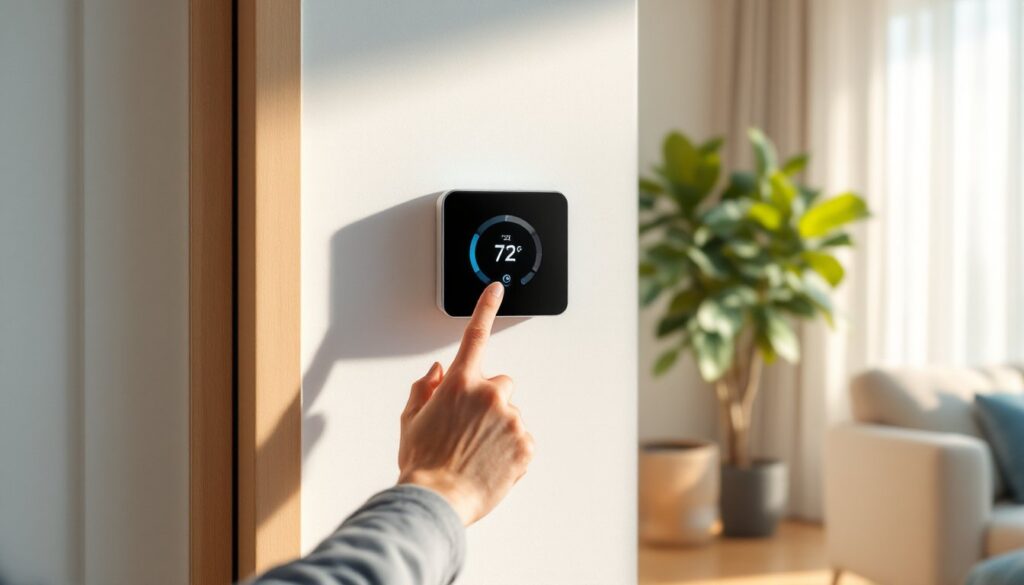
A smart thermostat (often called a smart thermometer in casual use) is a Wi-Fi-enabled device that controls a home’s heating and cooling system while offering remote access, scheduling, and automation features. Unlike traditional programmable thermostats that run on preset schedules, smart models use sensors, algorithms, and connectivity to adapt in real time.
Most smart thermostats connect to a home’s existing HVAC wiring, typically a C-wire (common wire) that provides continuous 24V power, though some models include workarounds or battery backup for homes without one. The device communicates with the HVAC system using low-voltage control wires (usually 18-gauge to 22-gauge), sending signals to turn on heating, cooling, or fan modes based on user input or automated logic.
The “smart” part comes from integration with home Wi-Fi networks and companion mobile apps. Sensors detect ambient temperature, humidity, and sometimes occupancy or proximity. Advanced models use geofencing to detect when residents leave or return, adjusting temperatures automatically. Machine learning algorithms analyze usage patterns over days or weeks, then suggest or carry out schedules that balance comfort and efficiency.
Compatibility matters. Smart thermostats work with most forced-air systems (gas furnaces, electric heat pumps, central AC), but some struggle with multi-stage systems, heat pumps with auxiliary heat, or older millivolt systems common in floor furnaces and some wall heaters. Always check the manufacturer’s compatibility tool before purchasing, refunding and reinstalling is a hassle no one needs.
Key Benefits of Installing a Smart Thermometer in Your Home
Energy Savings and Cost Reduction
The EPA estimates that smart thermostats can save homeowners an average of 8% on heating and cooling bills, roughly $50 to $150 per year depending on climate zone, home size, and energy rates. Savings come from eliminating unnecessary runtime when no one’s home, optimizing temperature setbacks during sleep hours, and reducing the “recovery time” when bringing a home back to comfortable temperatures.
Many utilities offer rebates ranging from $25 to $100 for installing ENERGY STAR-certified smart thermostats. Check local utility websites or the ENERGY STAR rebate finder before buying, some rebates require specific models or proof of professional installation.
Real-world savings depend heavily on baseline behavior. A household that already manually adjusted a programmable thermostat efficiently may see minimal savings. But homes where occupants frequently override schedules, forget to adjust before leaving, or run HVAC systems on static settings often see 15% to 20% reductions in usage.
Remote Control and Automation Features
Remote access means adjusting temperature from anywhere using a smartphone app. Forgot to lower the heat before a weekend trip? Adjust it from the road. Arriving home early from work? Bump up the AC 20 minutes ahead.
Automation goes further. Geofencing uses smartphone location to trigger “away” or “home” modes based on whether residents are within a set radius (usually 0.5 to 7 miles). Occupancy sensors detect motion or thermal signatures, allowing room-by-room or zone-based control in compatible systems.
Integration with voice assistants (Amazon Alexa, Google Assistant, Apple HomeKit) and smart home platforms enables routines: “Good morning” can raise the temperature, turn on lights, and start the coffee maker. Third-party integrations with ceiling fans, smart vents, and window sensors allow more granular control, opening windows can pause the AC, for example.
Weather-aware algorithms adjust heating and cooling based on forecasted temperatures, humidity, and even pollen counts for homes with integrated air quality systems.
Essential Features to Look for When Choosing a Smart Thermometer
HVAC Compatibility comes first. Multi-stage heat pumps, dual-fuel systems, and zoned HVAC require specific thermostat support. Most manufacturers provide online compatibility checkers, take a photo of existing thermostat wiring and check before buying.
C-Wire Requirement vs. Battery Power: Thermostats need continuous power for Wi-Fi and display functions. Homes built after 2000 usually have a C-wire: older homes may not. Some models include a power adapter or “wire extender kit” that pulls power from the HVAC system’s control board, but installation gets more complex. Battery-powered models exist but often sacrifice features like always-on displays or frequent polling.
Learning Capability vs. Manual Scheduling: Learning thermostats observe behavior for one to two weeks, then auto-generate schedules. Manual models require users to set schedules in the app. Learning models suit households with consistent routines: manual scheduling works better for irregular schedules or shift workers.
Sensor Options: Built-in sensors measure temperature and humidity at the thermostat location, which may not reflect conditions in bedrooms or living areas. Some systems support remote sensors placed in frequently used rooms, averaging readings or prioritizing specific zones during set times (e.g., bedrooms at night, living room during the day).
Display and Interface: Touchscreen displays range from basic monochrome to full-color. Some homeowners prefer physical controls or larger fonts for accessibility. Always-on displays are convenient but draw more power.
Energy Reporting: Detailed usage reports help identify waste and track savings over time. Look for monthly summaries, comparisons to similar homes, and alerts for unusual runtime (which can indicate HVAC problems).
Smart Home Integration: Native support for Alexa, Google Assistant, Apple HomeKit, or platforms like SmartThings and Home Assistant matters if building a larger smart home ecosystem. Check which integrations are built-in vs. requiring third-party workarounds.
Top Smart Thermometer Models Worth Considering in 2026
Ecobee SmartThermostat Premium remains a strong choice for homes needing remote sensors. It includes one sensor in the box and supports up to 32 additional sensors for room-by-room control. Built-in air quality monitoring tracks VOCs, CO₂, and humidity. The integrated Alexa speaker is convenient for voice control without a separate device. Requires a C-wire or the included Power Extender Kit. Works with most multi-stage heat pumps and zoned systems. Retail price typically $220–$250.
Google Nest Learning Thermostat (4th Gen) uses AI to build schedules automatically and includes a redesigned interface with improved motion sensing. The Nest Temperature Sensor (sold separately, $40 each) extends control to multiple rooms. Farsight feature lights up the display when it detects movement across the room. Works without a C-wire in many installations using power-stealing technology, but performance can vary. Best for Google Home ecosystems. Retail around $230.
Honeywell Home T9 offers a middle ground between learning and manual scheduling with “Smart Room Sensors” that prioritize comfort where occupants actually are. Supports geofencing and integrates with most major smart home platforms. The interface is straightforward, and installation is more DIY-friendly than some competitors. Requires C-wire. Price around $180 with one sensor.
Amazon Smart Thermostat delivers solid basics at a budget price ($80–$100). Built by Resideo (Honeywell’s residential division), it handles single-stage and multi-stage systems and includes Alexa integration. No learning features, remote sensors, or fancy displays, just reliable scheduling and remote control. Requires C-wire. A good entry point for renters or homeowners testing smart thermostats.
Sensi Touch 2 appeals to homeowners wanting smart features without altering the home’s aesthetic. The touchscreen is sleek but understated, and the thermostat fits within standard wall plate footprints, hiding old paint lines. Works with or without a C-wire (includes adapter). Strong privacy controls, no camera or microphone. Compatible with Apple HomeKit, which matters to privacy-focused users. Around $170.
Installation and Setup: What to Expect
Tools and Materials Needed:
- Screwdriver (usually Phillips-head)
- Wire labels or painter’s tape
- Smartphone or tablet for app setup
- Drill and anchors (if mounting to drywall without a stud or existing wall plate)
- Wire stripper (if wires are damaged or need trimming)
- Voltage tester or multimeter (optional but recommended for safety)
Safety First: Turn off power to the HVAC system at the breaker panel before touching any wiring. Low-voltage thermostat wiring (typically 24V) won’t shock like household current, but short circuits can damage HVAC control boards, repairs run $200 to $500.
Step-by-Step Installation:
- Remove the old thermostat: Pop off the faceplate, unscrew the base from the wall, and photograph the wiring before disconnecting anything.
- Label each wire with its terminal letter (R, C, W, Y, G, etc.). Most thermostats include stickers for this. Wire colors aren’t always standard, so labels prevent confusion.
- Check for a C-wire: If there’s a wire connected to the “C” terminal or a blue or black wire bundled behind the old thermostat, the home has C-wire capability. If not, consult the new thermostat’s instructions, some include adapters.
- Install the new base plate: Thread wires through the base, level it, and secure to the wall with provided screws. Use anchors if screwing into drywall.
- Connect wires to the corresponding terminals on the new thermostat base. Firmly tighten terminal screws, loose connections cause intermittent failures.
- Attach the thermostat faceplate and restore power at the breaker.
- Run the app setup: Follow prompts to connect the thermostat to Wi-Fi, configure HVAC system type (number of stages, heat pump vs. conventional, etc.), and test heating and cooling modes.
When to Call a Pro: If the home lacks a C-wire and the thermostat doesn’t include a power adapter, an HVAC tech can install one at the furnace control board (usually $100–$200). Homes with zoned systems, communicating HVAC equipment (like variable-speed furnaces), or unusual wiring should consult a professional. Many utilities offer free or discounted installation with rebate programs.
Setup and Configuration: Allow 30 minutes for physical installation and another 15–30 minutes for app configuration. Learning thermostats need one to two weeks of normal use before they generate optimized schedules. During this period, manually adjust as needed, the device is observing, not fully automated yet.
Most manufacturers offer 24/7 phone or chat support during setup. Use it, they’ve seen every wiring scenario and can troubleshoot faster than guessing.